Discord
Soundboard
Sound effects for your server — no bot, no install, just a link.
Create a room, upload your clips, and share a link with your Discord server. Everyone in the call hears the same sounds in real time — no bots, no permissions to set up, nothing to install.
How to make a Discord soundboard
Create a room
Sign in with Google and create a soundboard room. It takes about a minute and costs nothing.
Upload your clips
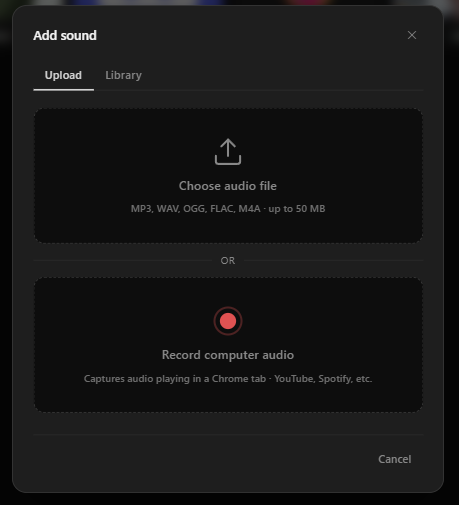
Drag in MP3, WAV, or OGG files up to 50 MB. Trim each one in the waveform editor so it starts on the hit, and give it an icon you will recognise at a glance.
Share the link with your server
Paste the room invite link into your Discord channel. Anyone who opens it joins the same board — no bot to authorise, no server permissions to change.
Play together
Press a button and every member of the room hears it at the same moment. Bind hotkeys to your top clips so you can fire them without leaving the call.
Everything you need
No Bot Required
Works entirely in the browser. Share a link and anyone with it hears your sounds — no Discord bot permissions needed.
Real-time Sync
Zero-latency WebSocket sync. Press play once — every member hears it at exactly the same moment.
Hotkeys
Bind any keyboard shortcut to any sound. Trigger clips mid-conversation without lifting your eyes from the screen.
Listener Mode
Let members join as listeners — they hear every sound without access to the controls.
Waveform Trimmer
Trim any clip to the exact moment with the built-in waveform editor. Cut the silence, keep the hit.
Free Forever
No premium tier, no credit card, no cap on rooms or clips. Soundboard Online is completely free to use.
What ends up on a server’s soundboard
Every server converges on roughly the same board: a few arrival sounds, a few memes, a couple of game-night cues, and a growing pile of clips that only make sense to the eight people in the call. Here is the part you can plan for.
Arrivals and exits
The first thing any server adds. Give the regulars their own entrance sound and it becomes a running bit within a week.
- Join fanfare
- Leave whoosh
- Per-person entrance themes
- AFK / "they are still muted" chime
Callouts and memes
The core of the board. Keep them under two seconds and bind the top five to hotkeys — a meme you have to go looking for is a meme that arrives too late.
- Airhorn
- Bruh
- Vine boom
- Sad trombone
- Record scratch
- Windows error ding
Game night
For the nights the whole server is in one voice channel playing something. These land best when everyone hears them at once rather than through one person’s mic.
- Victory fanfare
- Defeat sting
- Round countdown
- "GG" or end-of-match cue
- Clutch play horn
Running the call
Less funny, genuinely useful — especially in servers with thirty people in a channel and someone always talking over someone else.
- Mod hammer for calling order
- Attention chime before an announcement
- Timer ping for turn-based games
- Movie-night countdown to sync playback
Clips you upload are yours to be responsible for. Freesound and Pixabay cover most of the standard effects, and anything you record yourself is always safe.
See it in action
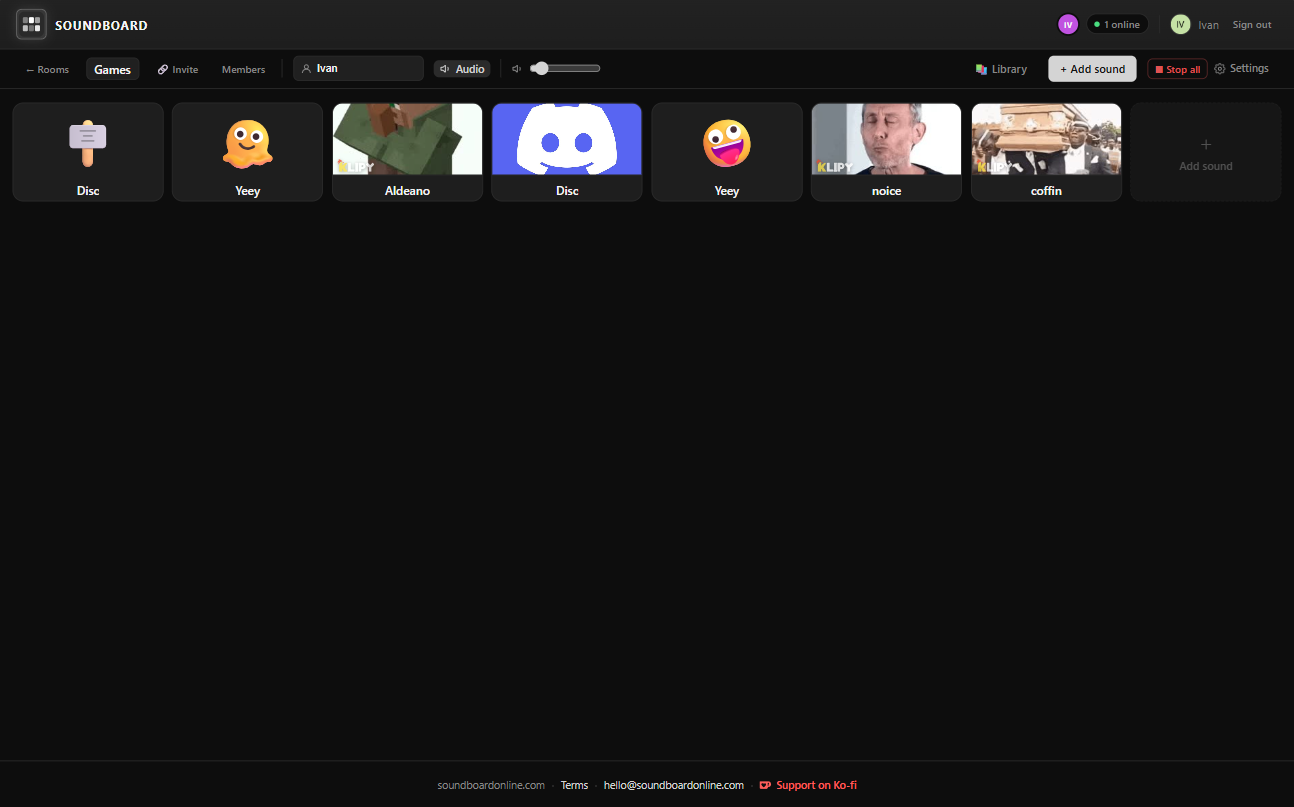
Ready for your server?
Free to use. No credit card required.
Frequently asked questions
- Do I need a Discord bot to use this soundboard?
- No bot required. Soundboard Online runs entirely in your browser. Share a room invite link in your Discord server and everyone in the voice call hears the same sounds in real time — no bot permissions, no server settings to change.
- Does the sound play through my microphone?
- No, and it does not need to. Rather than pushing audio down one person’s mic, everyone in the call opens the same room and the clip plays on each of their machines at once — which is why it arrives clean instead of compressed through voice chat. If you would rather route it through your mic anyway, a virtual audio cable such as VB-Cable will do that, but it is not something Soundboard Online needs in order to work.
- Can multiple people trigger sounds at the same time?
- Yes. Every member of a shared room can trigger sounds, and playback is synchronized instantly for all connected users via WebSocket. There is no host-only restriction — the whole server can participate.
- How long can a clip be?
- There is no short per-clip time limit. Clips are capped by file size at 50 MB, which is several minutes of MP3 — long enough for full songs, ambience beds, and extended bits rather than only two-second stingers.
- What audio formats does it support?
- Soundboard Online supports MP3, WAV, and OGG files up to 50 MB per clip. You can trim any clip with the built-in waveform editor after uploading.
- Do listeners need an account?
- Yes, a free account is required to join a room. Sign in with Google — it takes under a minute and there is no credit card or payment required.
- Is it free?
- Yes, completely free. No subscription, no credit card, no cap on the number of rooms or clips. Soundboard Online is free to use for everyone.